Bell Meditation is a beautifully designed mindfulness app that helps you reconnect, refocus, and recharge through the power of sound — with immersive bell tones, an advanced equalizer, and smart reminders that build a daily habit.
By Polymath Company Limited · Free · Requires iOS 16.2+


Minimal, modern, and intuitive — whether you're starting your morning with clarity, taking mindful breaks, or winding down at night.
Ten meticulously-recorded bells — meditation bells, Tibetan singing bowls, church bells and chimes — let you shape a soundscape that feels like yours.
Five EQ presets, a +10 dB volume booster, and a dedicated bass boost. Every bell sounds richer, warmer, or brighter — exactly how you like it.
Gentle nudges to pause and come back to the present. Build a daily habit without alarm fatigue.
Watch your total bell listening time grow right from your home screen — every session becomes visible progress.
From Breakthrough to Master. Longer sessions unlock as your practice deepens — a CEFR for mindfulness.
No ads. No noise. No clutter. Just the bell, the silence, and the space in between.
No download required. Use the web preview below to begin a session right now — then get the full app on your iPhone, iPad, Mac, or Vision Pro.
Ready
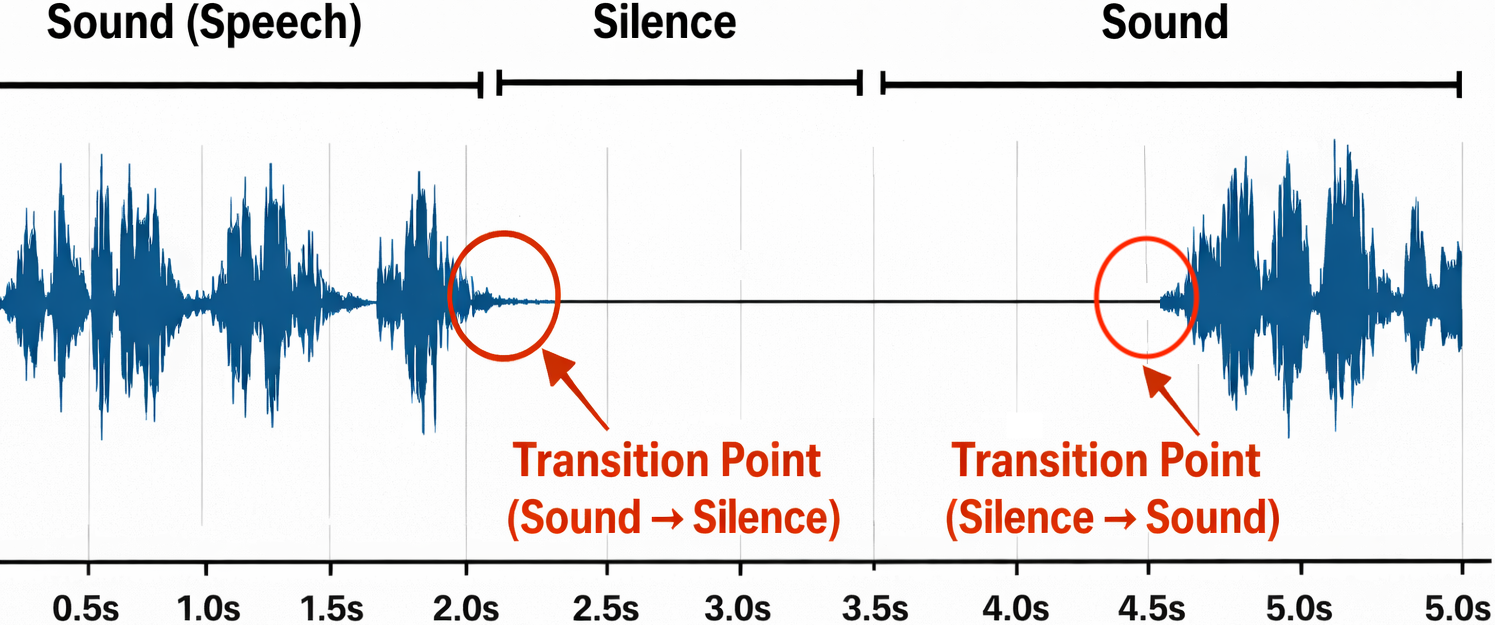
Do not focus on Sound and Silence
Focus on the transition between them.
0 / 10,000 bells · 0% to A2
The web preview is a lightweight port built for this landing page. The full iOS app adds home-screen widgets, Live Activities, Apple Watch companion, background audio, and local notifications.
Every bell is crafted for meditation. Tap below to preview — the full selection is available in the iOS app, too.
Borrowed from the CEFR language framework — a gentle reminder that mindfulness, like fluency, is earned bell by bell.
Minimal, modern, and quiet — Bell Meditation gets out of the way so you don't have to.


Bell Meditation is free on the App Store — for iPhone, iPad, Mac, and Apple Vision.
Amplifies overall volume above the system level. Clipping may occur above +6 dB.
Adds extra gain to low frequencies (80 Hz shelf) on top of the selected EQ preset.
Tap a sound to select it. A short preview will play.
